
AI Video Generator API Comparison 2026: Free vs Paid Options for Developers
Compare the best AI video generator APIs in 2026, including Sora video API, Kling AI API, and free alternatives. Learn which API fits your budget and technical requirements.
As AI video generation matures, developers and product teams are increasingly asking the same question: which API should I integrate into my application? The answer depends on your budget, video quality requirements, latency tolerance, and whether you need programmatic access for commercial use. This guide compares the leading AI video generator APIs available in 2026.
OpenAI Sora Video API
OpenAI's Sora remains the most well-known AI video generation tool, but it is important to understand that as of mid-2026, Sora does not offer a public API for programmatic access. Sora is available through a web interface and subscription plans, but developers cannot call a REST endpoint to generate videos automatically. This limits Sora's usefulness for applications that need to generate videos at scale without manual intervention. Teams that need API access for Sora-like quality typically explore alternative providers or build custom orchestration layers around the web interface, though the latter approach carries significant technical and compliance risk.
For teams already invested in the OpenAI ecosystem, the DALL-E API for image generation is available and well-documented, but it does not extend to video. If OpenAI launches a Sora API in the future, it would likely follow the same usage-based pricing model as their other APIs, with costs scaling by resolution, duration, and generation count.
Kling AI API and developer access
Kling AI, developed by Kuaishou Technology, offers one of the more accessible API options for developers. Kling provides an API key-based authentication system that allows programmatic video generation. Developers can submit text-to-video or image-to-video requests and receive generated clips through the API. The pricing is credit-based, with different credit costs assigned to different resolutions and durations.
One important consideration with Kling's API is the terms of service regarding commercial use. Before integrating Kling into a commercial application, review the current terms carefully. Some tiers restrict commercial usage, while others explicitly permit it. API rate limits also vary by subscription tier, so teams generating at high volume should plan for appropriate tier selection and potentially implement queuing logic in their application layer.
Free AI video generator APIs
Several platforms offer free tiers or trial credits for AI video generation, though the free options typically come with significant limitations. Some open-source models like Stable Video Diffusion can be self-hosted, but the infrastructure costs for GPU compute often exceed the cost of paid API access at any meaningful scale. CogVideo and ModelScope offer community-maintained video generation models that can be run locally or through cloud inference services like Replicate or Hugging Face.
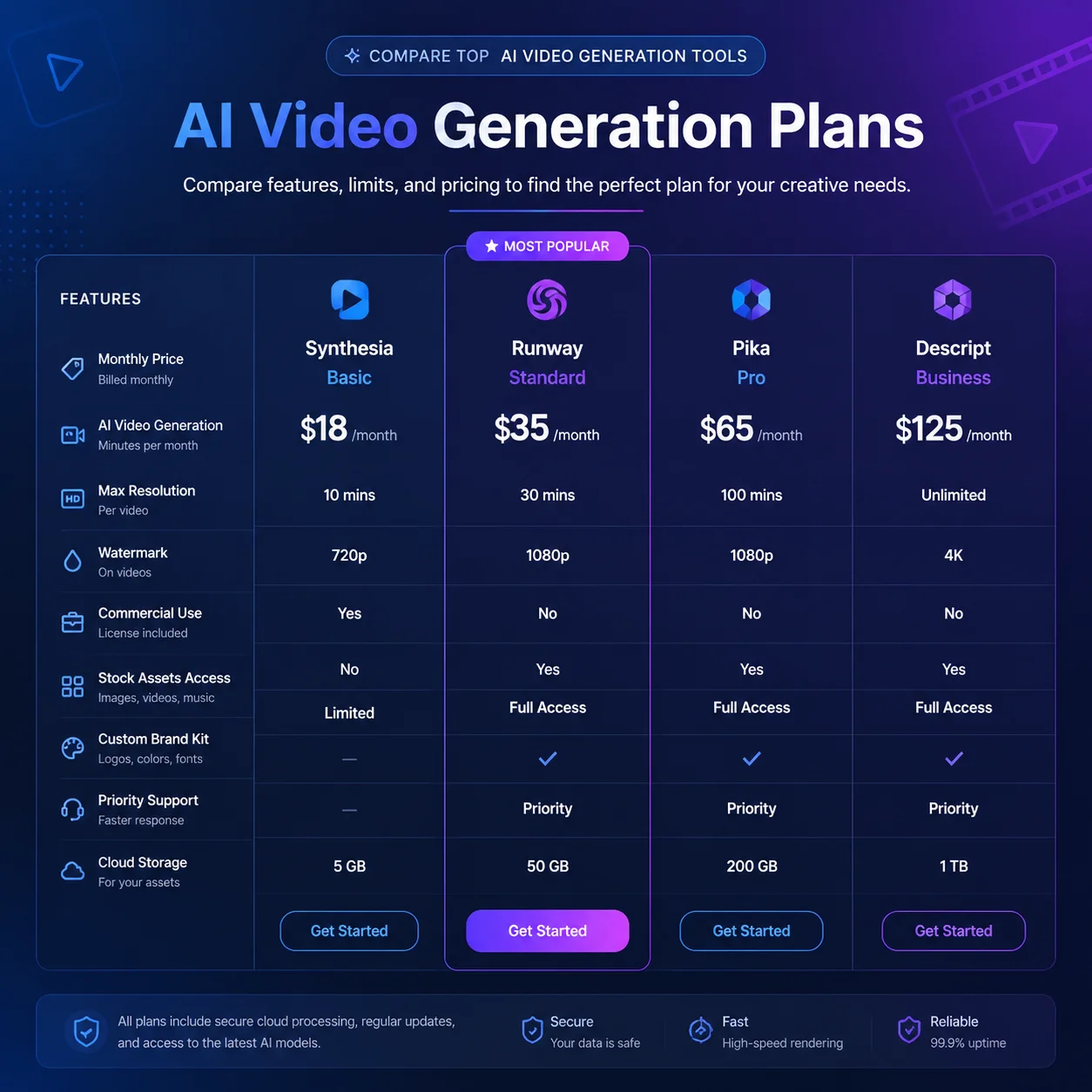
For prototyping and development, RunwayML and Pika Labs offer limited free credits that can be used for testing. However, free tiers usually cap resolution at 720p or lower, limit the number of generations per day, and include watermarks. For production applications, a paid API with guaranteed uptime, consistent quality, and commercial licensing is almost always the better choice.
Face swap and lip sync APIs
Beyond general video generation, specialized APIs have emerged for specific tasks. Face swap APIs allow developers to replace faces in existing video footage programmatically. These are useful for localization workflows, identity protection, and creative variant production. Lip sync APIs synchronize mouth movements to dubbed audio, which is essential for multi-language video production. Several providers offer these capabilities as standalone APIs, though they often require careful integration to work together in a seamless pipeline.
For teams building a complete video production pipeline, managing multiple API integrations can become complex. Each API has its own authentication, rate limits, error handling, and data format. A platform like makeads abstracts this complexity by providing a unified interface for script writing, AI actor selection, video generation, dubbing, lip sync, and subtitle creation. Instead of integrating five separate APIs and maintaining glue code, teams can use a single platform with a consistent interface, which reduces development time and ongoing maintenance burden.
Choosing the right API for your use case
When evaluating AI video APIs, start by clarifying your requirements. If you need text-to-video generation with commercial licensing, Kling AI is currently a strong candidate. If you need deep integration with an existing video editing pipeline, look for APIs that return standard formats and provide webhook support for async processing. If you need face swap or lip sync specifically, evaluate specialized providers rather than general-purpose video generators. If you need a complete production workflow without managing multiple API integrations, an all-in-one platform delivers faster time to value.
- Define required resolution, duration, and format before evaluating providers.
- Review commercial use terms: many APIs restrict or require upgraded tiers for business usage.
- Test latency and reliability with a proof-of-concept before committing to a provider.
- Factor in infrastructure costs if self-hosting open-source models.
- Consider platform solutions that bundle multiple capabilities into a single integration.
- Monitor pricing changes: the AI video API landscape evolves quickly.
The AI video API ecosystem is expanding rapidly, with new providers entering the market regularly. The key to a successful integration is choosing a provider whose pricing, quality, and licensing terms align with your application's needs today while remaining flexible enough to adapt as the technology matures.
How to apply this guide in makeads
Use this guide as a practical checkpoint for planning AI UGC videos, comparing creative angles, and deciding which parts of your workflow should be scripted, generated, reviewed, localized, and tested first.
The most useful next step is to translate the advice into one production brief: define the audience, the opening hook, the proof moment, the actor style, subtitle requirements, and the metric you will use to decide whether a video variant is worth scaling.
Related focus areas for this topic include AI Video API, Video Generation, API Comparison, Developer Tools. If you are building a campaign library, connect this guide with your pricing assumptions, platform policy checks, and localization plan before creating the final export.