
What Is a UGC Video? Meaning, Examples, and How to Create One in 2026
A clear definition of UGC video, the formats that convert best on TikTok and Reels, real examples, and a step-by-step workflow to produce user-generated-style videos with AI actors.
You have seen the term everywhere in marketing circles, but the definition matters because the format drives most of the ad performance on TikTok, Reels, and Shorts today. A UGC video is a short, authentic-feeling clip that looks like it was made by a real person rather than a brand. Understanding exactly what makes a video qualify as UGC is the first step to producing ones that actually convert.
What is a UGC video?
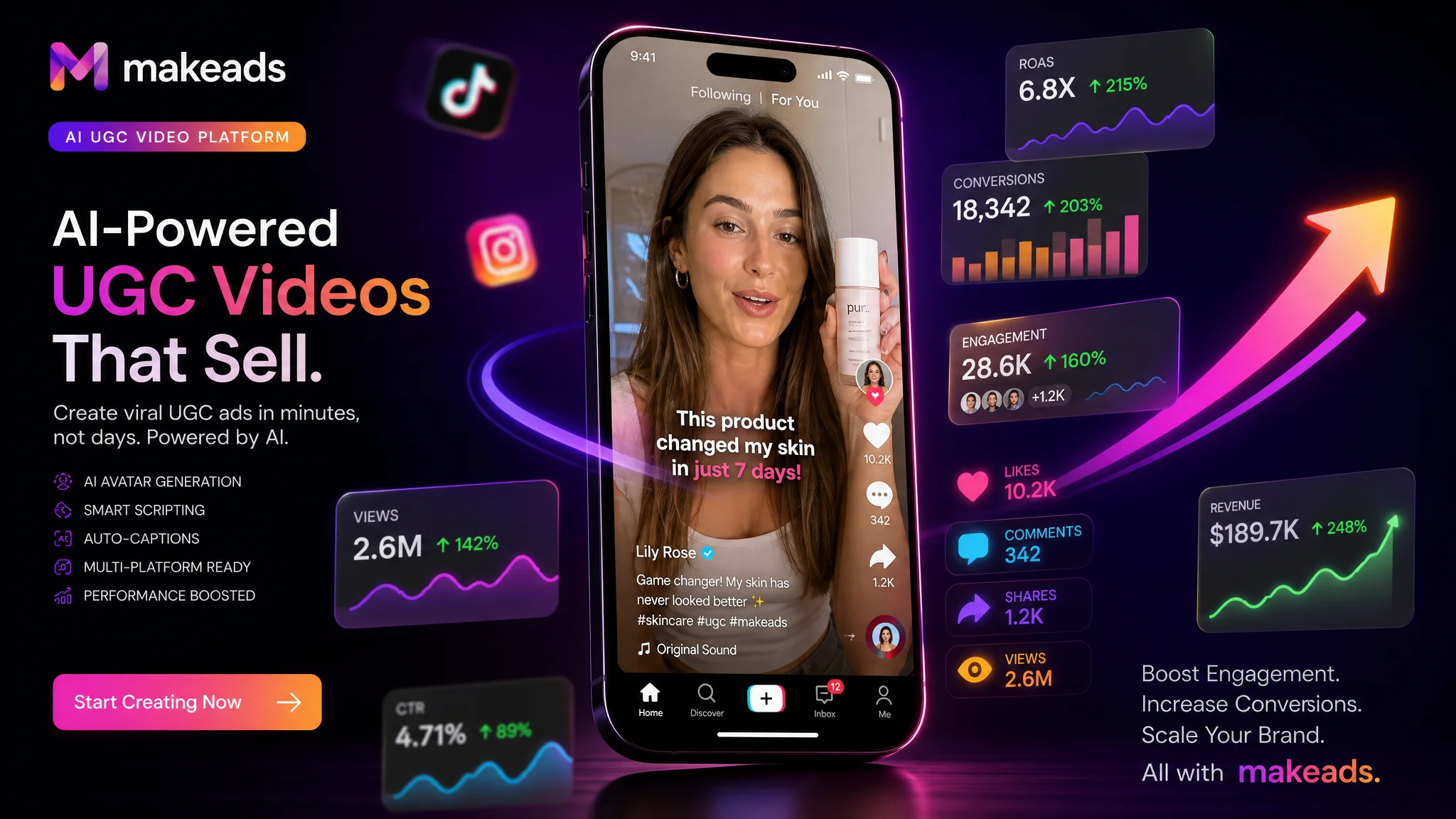
A UGC video is a short-form video created in the style of user-generated content. It is shot or rendered to look like a real person filmed themselves on a phone, sharing an honest opinion, a quick demo, or a personal recommendation. Unlike a traditional commercial, a UGC video leads with a relatable human voice instead of a brand script read by a professional announcer.
The term UGC stands for user-generated content. Originally it meant content that real customers uploaded themselves without being paid. Today the meaning has expanded. Performance marketers now produce UGC-style videos on purpose because that format consistently outperforms brand-produced ads on social platforms. Whether the video comes from a real creator or an AI actor, the defining trait is the same: it feels native to the feed it appears in.
What makes a video qualify as UGC
Not every casual phone video counts as effective UGC. The videos that perform in paid social share a set of recognizable traits that make viewers stop scrolling and trust the message.
- Conversational tone — The speaker talks like they are explaining something to a friend, not reading a press release.
- Vertical format — Shot in 9:16 so it fills a phone screen the way native platform content does.
- Front-facing delivery — The person looks at the camera or narrates over footage of a product in their hands.
- Real environment — The background looks like a home, an office, or a street rather than a studio set.
- Proof early — The product or result appears within the first few seconds instead of after a long intro.
- Readable captions — Subtitles are burned in so the message survives muted autoplay.
UGC video vs brand video: why the difference matters
A brand video is designed to look impressive. A UGC video is designed to look believable. That single difference explains why the two formats perform so differently in paid social feeds.
When a viewer sees a high-production commercial, their brain immediately categorizes it as advertising and raises a defense. When the same viewer sees a UGC video, their brain treats it closer to peer content, which lowers resistance and increases watch time. That is why UGC videos consistently deliver lower cost per click and higher click-through rates than polished brand creatives running in the same campaign.
- Production cost — Brand video needs a studio, crew, and post-production. UGC video can be produced with a phone or an AI video generator.
- Turnaround — Brand video takes weeks. UGC video can be ready in hours.
- Testing volume — UGC is cheap enough to test dozens of hooks per week.
- Engagement — UGC earns higher completion and click-through because it feels authentic.
The most common UGC video formats
UGC video is not a single template. Different formats serve different points in the buying journey. Knowing which format fits your goal helps you brief actors and write scripts that match the job.
- Testimonial — A person describes a problem they had and how the product solved it. Best for building trust and converting skeptical buyers.
- Unboxing — First-impression footage of a product being opened and used. Strong for physical products and launches.
- How-to and tutorial — A quick demonstration of how to get value from the product. Ideal for software, tools, and anything with a learning curve.
- Before-and-after — Visual proof of a transformation. Effective for beauty, fitness, cleaning, and home improvement categories.
- Problem-and-solution — The speaker names a specific frustration and then shows the product solving it. Works across almost every category.
- Listicle — A rapid list of reasons, tips, or features. Good for holding attention with fast pacing.
How long should a UGC video be?
The ideal length depends on the platform and the format, but the general rule is short. Most converting UGC video ads run between 15 and 45 seconds. The hook must land in the first two to three seconds, and the core proof should appear before the midpoint. Anything that does not serve the hook, the proof, or the call to action should be cut.
- TikTok and Reels — 15 to 30 seconds for cold audiences. Longer is fine only if retention stays high.
- YouTube Shorts — Under 60 seconds, with the strongest visual proof in the opening frames.
- Facebook and Instagram feed — 15 to 45 seconds, designed to work with sound off.
Real UGC video examples that convert
The best way to understand the format is to look at the recurring patterns in ads that scale. Here are three composite examples that represent what a high-performing UGC video looks like in practice.
Example one: the skeptic testimonial. A woman in her kitchen holds a skincare bottle and says she had tried five products that did nothing. She shows the texture, applies it on camera, and says she noticed a difference in one week. The video is 22 seconds, vertical, captioned, and ends with a soft recommendation to check the link.
Example two: the desk demo. A developer at his desk shows a cluttered workflow and says it was costing him an hour a day. He opens a tool, walks through one shortcut, and the result is visible immediately. The tone is calm and peer-to-peer. The video runs 30 seconds and leads to a free-trial call to action.
Example three: the before-and-after. A homeowner shows a stained surface, sprays a cleaner, and wipes it clean in one motion. The transformation is the entire proof. The caption calls out the product name and a discount code. The video is 12 seconds and built for repeat viewing.
How to create UGC videos at scale
The traditional way to produce UGC video is to find creators, ship them products, wait for footage, and then edit the results. That workflow is slow, expensive, and hard to scale. It also makes creative testing painful because each new hook requires a new shoot.
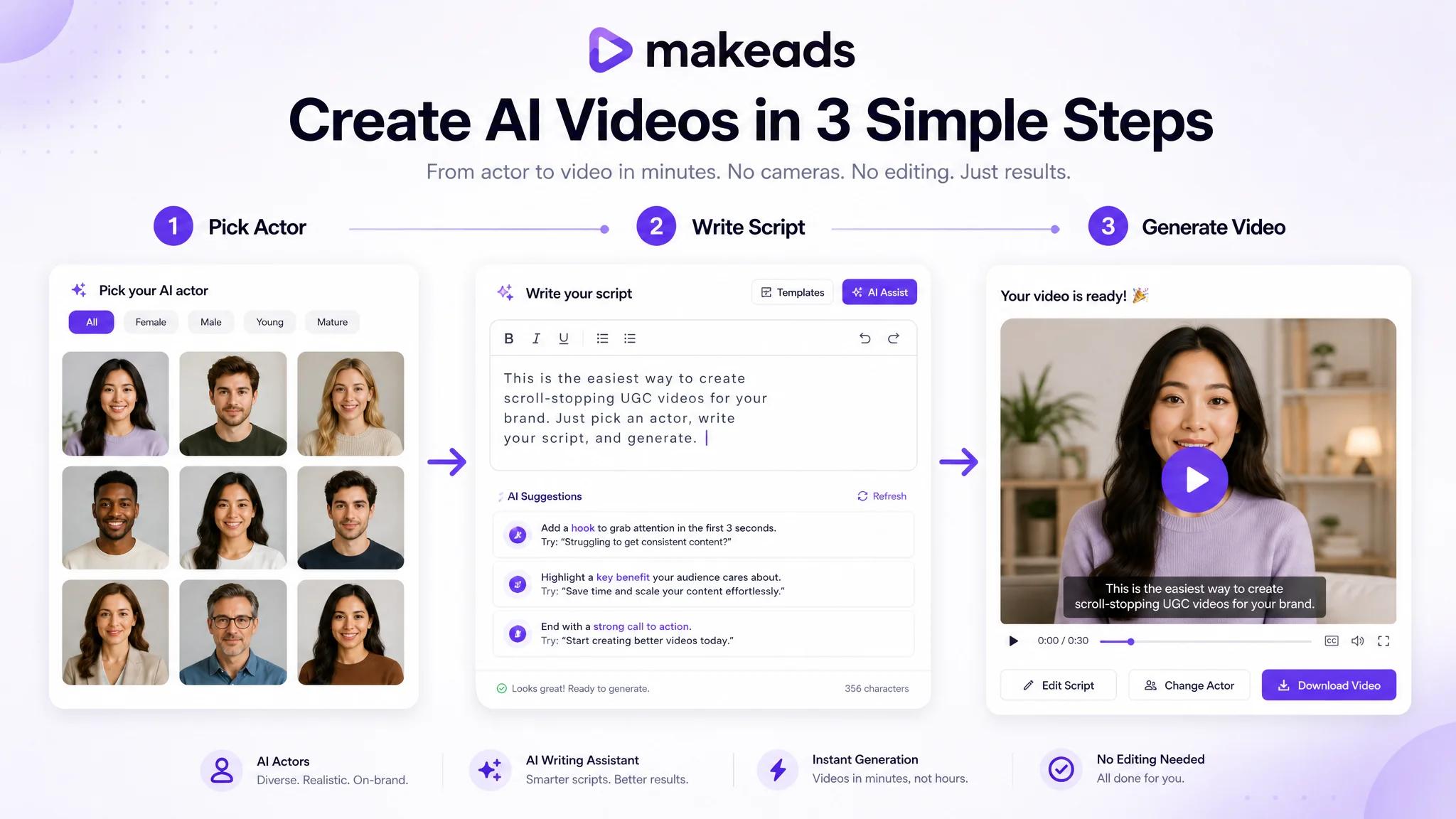
AI UGC platforms solve this by replacing the camera-dependent workflow with a script-to-video pipeline. Instead of booking a creator, you pick an AI actor, write a script, and generate the video in minutes. The output is a talking-head UGC video with subtitles, dubbing, and export built in.
- Choose an AI actor whose persona matches your target buyer.
- Write a script around one customer pain point and one proof moment.
- Generate the video with automatic voiceover and burned-in captions.
- Dub into additional languages if you target multiple markets.
- Export in the aspect ratio each platform requires and launch.
UGC video best practices for 2026
The platforms have evolved, and so have the patterns that win. These are the practices that separate UGC videos that scale from those that stall after the first batch.
- Write hooks that sound like spoken advice, not written headlines.
- Show the product or result within the first three seconds.
- Keep sentences short enough for a single comfortable breath.
- Use captions that are readable on a small screen at arm's length.
- Test at least five hook variants before declaring a winner.
- Refresh winning creatives before fatigue pulls performance down.
- Localize top performers instead of starting from scratch per market.
Common mistakes that kill UGC video performance
Most UGC videos that underperform share the same few problems. Recognizing them early saves budget and testing time.
- Delayed proof — The product appears too late, so viewers leave before understanding the value.
- Brand-heavy opening — The first frame looks like an ad, triggering instant scroll behavior.
- Dense script — Sentences built for reading fail when spoken aloud on camera.
- Weak captions — Low-contrast or overly long subtitle blocks break readability on mute.
- Wrong actor match — A persona that does not fit the product category creates subconscious friction.
Frequently asked questions
What does UGC video mean?
UGC video means a short video created in the style of user-generated content. It is designed to look and sound like a real person sharing an honest opinion, which makes it perform better than polished brand ads on social feeds.
Is UGC video the same as influencer content?
Not exactly. Influencer content relies on the audience knowing the creator. UGC video relies on the format feeling authentic regardless of who the speaker is, which is why AI-generated UGC videos can perform as well as creator-shot ones when the script and proof are strong.
Can I make UGC videos without a camera?
Yes. AI UGC platforms like makeads let you generate talking-head UGC videos from a script, with no filming required. You pick an actor, write the lines, and the platform produces the video with voiceover and subtitles.
How many UGC videos should I test?
Start with five to ten variants per campaign, changing one element at a time. Test hooks first while keeping the proof and call to action stable, then expand the winners with new actors, languages, or proof angles.
Start producing UGC videos that convert
A UGC video is the most effective ad format on social platforms today because it respects how people actually consume content on their phones. Whether you shoot with real creators or generate videos with AI actors, the principles are the same: be specific, show proof early, sound human, and test relentlessly. makeads gives you the actors, the script-to-video pipeline, and the localization tools to produce UGC videos at scale without waiting on shoots.
How to apply this guide in makeads
Use this guide as a practical checkpoint for planning AI UGC videos, comparing creative angles, and deciding which parts of your workflow should be scripted, generated, reviewed, localized, and tested first.
The most useful next step is to translate the advice into one production brief: define the audience, the opening hook, the proof moment, the actor style, subtitle requirements, and the metric you will use to decide whether a video variant is worth scaling.
Related focus areas for this topic include UGC, Video Marketing, AI UGC, Social Ads, Beginner Guide. If you are building a campaign library, connect this guide with your pricing assumptions, platform policy checks, and localization plan before creating the final export.